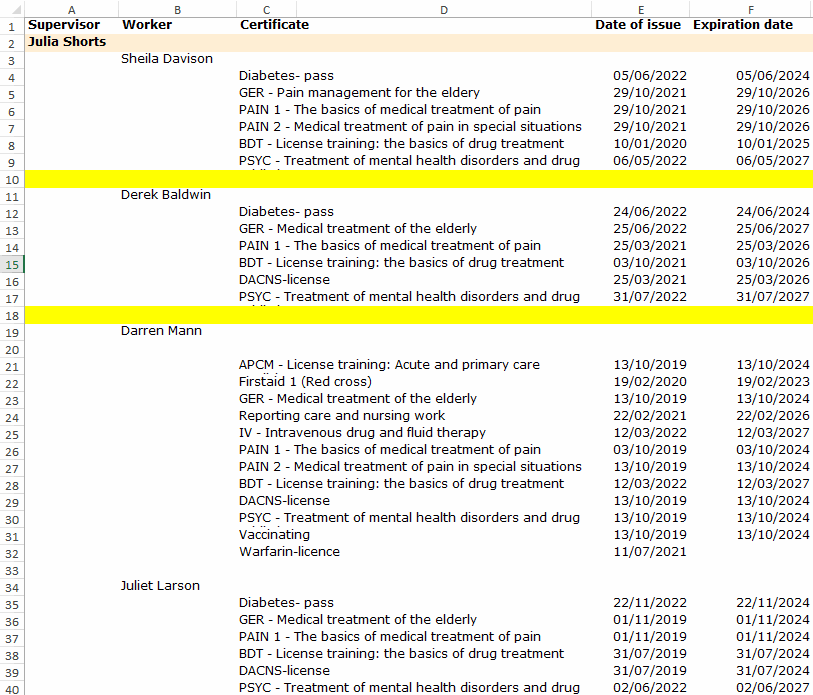
You have been given the task of reporting extensively on the capacities of staff the units of a the health district. For this, you will receive a report on the various certificates received by the employees, on a unit-by-unit basis.
However, the reports you receive are difficult to deal with. They have blank lines. The data is scattered around and difficult to process, and you can't use the various analysis functions that Excel offers, such as the table concept or pivot reports. Even data types cannot be changed to the correct ones by general means.
The Objective
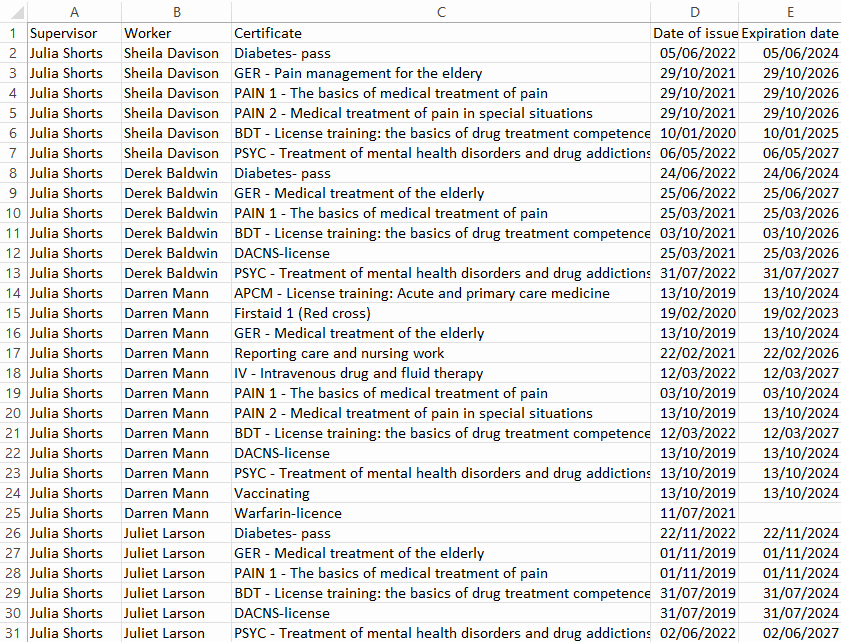
Next, we'll clean up the workbook, and it will eventually look like this.
Task: Save as a CSV file
In this file, the blank rows (yellow) are not really blank, the dates are text and the table has merged cells, so instead of spending a huge amount of time searching for and changing things, it is worth saving the data as a CSV file.
With this trick we can remove all possible formatting from the file. In addition, Excel also handles textual dates by converting them into numbers representing days, which appear in Excel in different date formats.
Task: Save as xlsx
Save the file back to xlsx format to save future formatting. Use a different name for saving than in the original file.
Task: Change the column widths to fit
Next, let's make the table easier to read by changing the column widths to suit.
Task: Delete empty rows
Task: Filling empty cells
Task: Turn formulas into values
The formulas must be converted into values, otherwise the table will get confused, for example when sorting.
Now your material is ready!
We have made a few special features here:
Saved the file in CSV format and back to xslx format
Defined values for cells with formulas and then converted the formulas to normal values
Although at first you may wonder if this is really the right way to use Excel, it is the fastest and safest way to get the right result. So put these things behind the ear. You may need them very soon.