Page 1 / 5
Fixing the Multilevel List Menu
As a Word user, you might sometimes lose some options from the multilevel list menu. When this happens, the menu can also switch to another language.

| #### Normal | #### Defective |
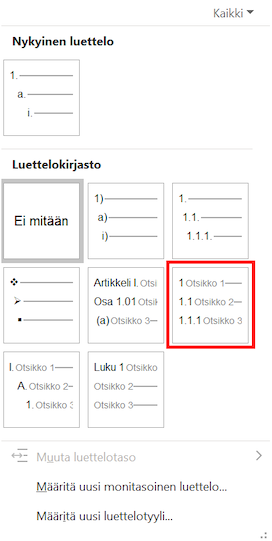 |
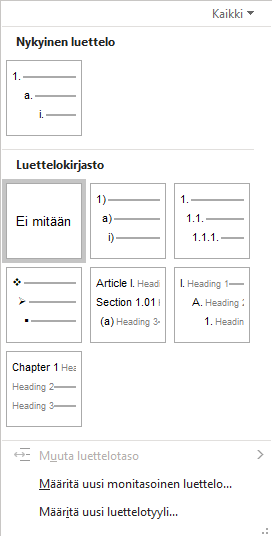 |
The reason for this might be the software language versions, or you might have installed a new version of Word to replace an old one.
Solution
You can solve the problem as follows.
- Close Word
- Delete the file C:\Users%Username%\AppData\Roaming\Microsoft\Word\ListGal.dat
- Open Word
The AppData folder mentioned above is hidden. The easiest way to open it is to write %appdata% into the Windows search field and then press enter.

Now the multilevel list menu should be back to normal.