Search and Replace
The search and replace functions allow you to either search for information in a document or replace the information you want with another piece of information. On this page you can practice how to do this. First watch the help video in the “Get to know the topic” section below and read the written instructions. Then use what you have learned in the exercise document you created at the beginning of the chapter Word 1, according to the tasks given.
Video
Video
The Objective
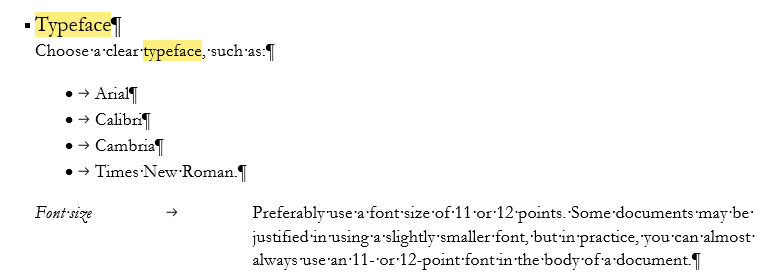
In the document, all occurrences of the word “font” have been replaced by the word “typeface”, except that the words “font size” not replaced. At the end of the page, the document may look like this:
Mac: Search
The search functionality works a little differently on the Mac version, so we'll go through that separately here.