Preview — Office Skills Accelerator course materials (EN). Not production.
Page 6 / 15
Basic Formatting and Keyboard Shortcuts
Next, we'll go through some of Word's basic formatting, such as how to italicize (or bold) and how to indent text. Indenting means moving the left edge of individual text paragraphs to the right.
Muotoilut ovat Aloitus-välilehdellä ja ne on ryhmitelty kolmeen eri ryhmään
There are three types of formatting in Word.
#### Styles
We looked at the styles earlier.
#### Character and font formats
Character and font shapes can be used to format even single letters. When formatting fonts, the text to be formatted is painted. These formatting options include italics and bold.
#### Paragraph formatting
Paragraph formatting always applies to the whole paragraph. When formatting a single paragraph, there is no need to paint the paragraph. Paragraph formatting includes indentations and line spacing.
On this page, we also look at shortcut keys.
The Objective
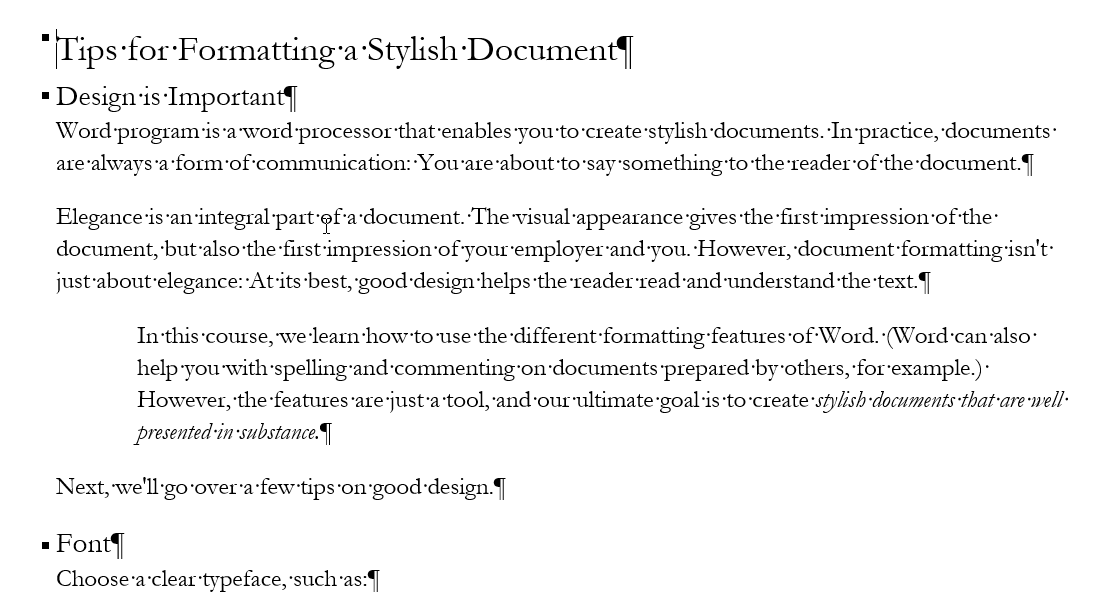
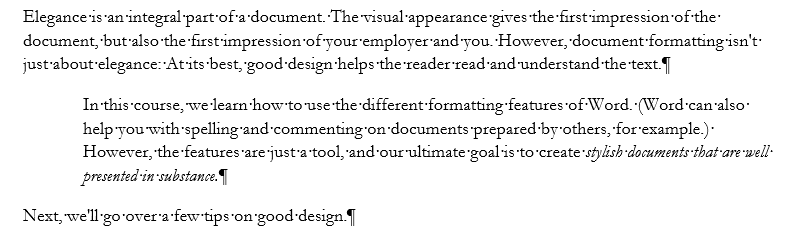
Next, we will modify the document by indenting one paragraph and italicizing one sentence.
Info: Shortcut keys
Mac: About shortcut keys
In the next exercise, we'll introduce the shortcut keys, so let's review the Mac version's anomalies related to them.
Task: Highlight text with italics
Italicize the text “create stylish documents that are well presented in substance”. You might want to try using the shortcut key for italics. When a part of your document is in italics, it looks like this, for example:
Task: Indent one paragraph of text
Indent one paragraph of text. The model has an indented paragraph that starts with the words “In this course we will learn...”. Model:
Now you know how to format text and documents in quite a few ways. If you have any questions about any of these, the course staff will be happy to answer them on the discussion board or simply by email.
Next, we'll learn how to use a handy feature of Word, the hanging indent, which surprisingly few people know about.
Have you completed the tasks on the page? Shall we move forward?