Preview — Office Skills Accelerator course materials (EN). Not production.
Page 9 / 13
Cross References
A cross-reference is a link within a document. So you can build a text that the reader can click on to go to another part of the document. Cross-references are added to a document primarily to make it easier for the reader to find what they are looking for. A link can be created to various objects in the document, such as headings, images, tables, charts and bookmarks that can be added separately.
Cross-references are particularly useful for long documents where the reader needs to move from one place to another.
As with web links, cross-references have their own quirks. On the other hand, once you know how cross-references work, it is easy to add them.
The Objective
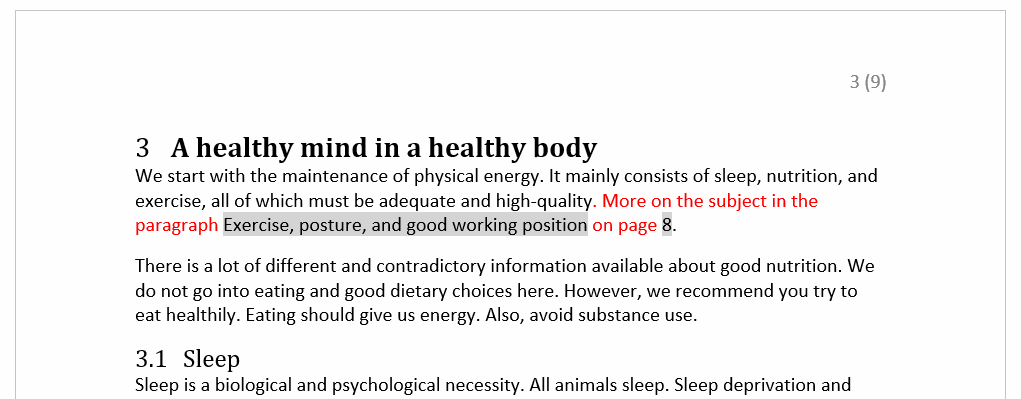
In the document, two cross-references have been added where the model indicates, to take the reader to the chapter on Movement, posture and good working position. In other words, the reader clicks on either the paragraph title or the page number to go to that point.
Task: Add cross-references
Next, add two cross-references to a heading in the document. Cross-references should be added in the areas highlighted with grey, and the texts in red should be written into the document:
Punaisella korostettua tekstiä, jossa sisällä harmaalla korostettu ristiviittaus
Info: Updating references
References are not automatically updated if data moves to different locations in the document.
A handy way to update all references is to first select the whole document with Crtl+A and update all fields in the selected area with the F9 key.
The table of contents will also be updated in this operation.
Info: Converting a cross-reference to plain text
To remove a field from a cross-reference so that only the cross-reference text remains in the document, paint the cross-reference and press the Ctrl+Shift+F9 key combination.
Please note that once a field has been deleted, the data can no longer be updated.