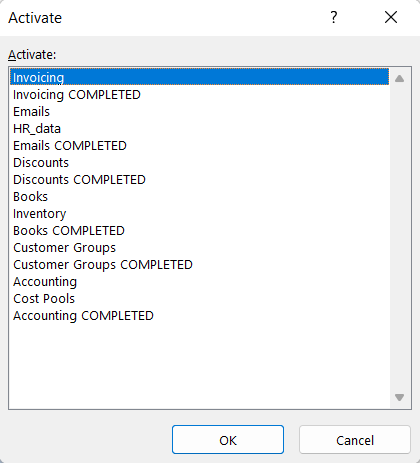
The model answers to the exercise are in the workbook you downloaded. For example, the model responses for the sheet Invoicing are in the sheet Invoicing COMPLETED and so on. All of them have a ready solution using the VLOOKUP function, except for the sixth task, where the solution uses the XLOOKUP function.
You can use either function unless otherwise specified in the assignment.
Info: Moving around in a workbook
The workbook has lots of sheets, and a handy way to go to a particular sheet is to **right-click** on the bottom left corner, which will open a list of sheets.
Task: Get the customer and the final price
Go to the Invoicing sheet.
Get the customer and final price using the VLOOKUP function.
Task: Get users' emails and countries of origin by name
Go to the Emails sheet.
Get email addresses and countries from the HR_data sheet. You need the VLOOKUP function.
Extra task: Search for a name by identity code
The VLOOKUP function only works if the key value is on the left side of the table array. If we want to do the search with the search column somewhere else, we have to resort to more advanced use of Excel where we no longer use the the VLOOKUP function, but replace it with the MATCH and INDEX functions. Let's get to know them first and then go through how to use them to build up a functionality that corresponds to the VLOOKUP function.
If you wish, you can practice this by adding another Name column to the Emails sheet and searching for the information.